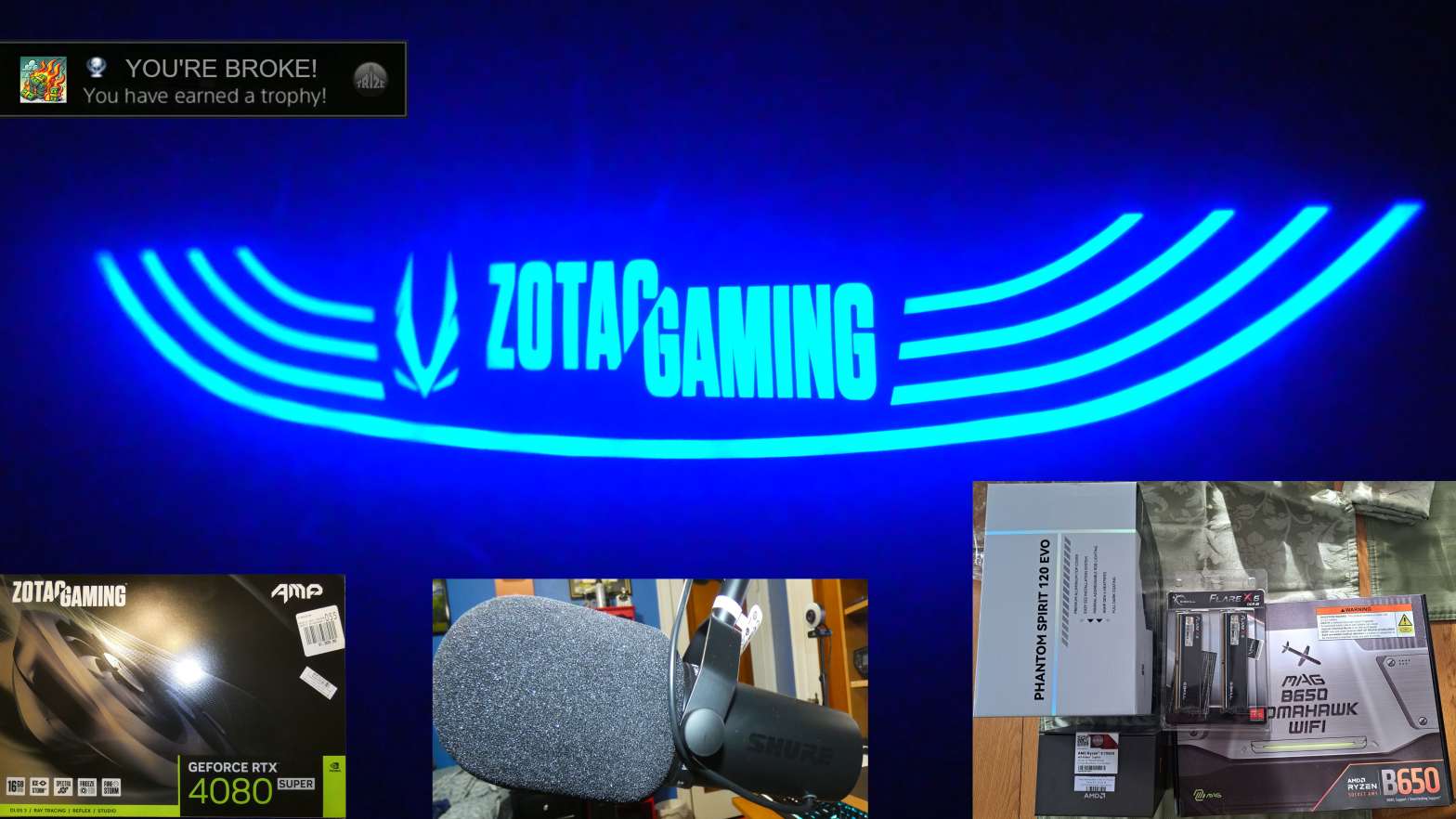
Photo showing various computer & equipment upgrades with ZOTAC Gaming LED logo from new GPU
In the summer of 2024, I’ve considered upgrading my computer and recording equipment to improve quality and productivity. I researched the best yet cost-effective parts that would suit me. While my last setup was good all-around, it was lacking in a few key areas. That’s why I took the time and money to make the necessary changes to my setup. From changing out parts of my computer to upgrading the microphone.
What Have I Upgraded?
On September 1, 2024, I installed the first batch of computer upgrades:
- AMD Ryzen 9 7950X
- MSI MAG B650 Tomahawk Wi-Fi
- Thermalright Phantom Spirit 120 EVO
- G.SKILL Flare X5 DDR5 6000MHz CL30 2x 32GB RAM
I purchased the CPU cooler and RAM from Amazon, while I purchased the CPU at Micro Center in Michigan, and the motherboard at a local Best Buy in July. The reason why I decided to upgrade the CPU from a Ryzen 7 5800X to a Ryzen 9 7950X is because I wanted to add more traffic in BeamNG. This game is deemed CPU-intensive as a car uses up one thread. Theoretically, I could have 32 cars loaded in at once and not have terrible frame rate. Even though I tend to load up 12 AI traffic cars in the game to not lower my frame rate while recording.
Every Upgraded Part
With this new CPU, the AMD Ryzen 9 7950X. It’s a 16 core/32 thread processor that has twice the core and thread count than my last CPU. It’s also a smidge faster in terms of clock speed. This CPU will be the workhorse that improves my capabilities for BeamNG, and provide more power for editing videos. The Ryzen 7 5800X was the first CPU I used when I built this computer in late 2021. That was when I built the computer for about $1,000 worth of parts. Ever since upgrading the processor back in September, I’ve been getting more consistent frames on BeamNG because of that higher core count. Same thing with a slight improvement in rendering performance. Even though the GPU is mainly responsible for encoding/decoding videos and rendering them.
To give my CPU a new home, I had to upgrade my motherboard to an MSI MAG B650 Tomahawk Wi-Fi. This is required for the 7950X because it uses an AM5 socket instead of an AM4 socket on my old motherboard, an MSI B550-A Pro. A couple big props to the new motherboard is that it’s got Bluetooth and Wi-Fi capabilities. Hence, the Wi-Fi plastered on the product. I’m probably never going to use the Wi-Fi as I use ethernet. For Bluetooth, I tend to use it here and there by sending photos and videos between my computer and phone for video editing. Also, I’m able to connect the PSVR2’s Bluetooth controllers to my computer, as I’ve demonstrated with my BeamNG VR video. That was when I had my old GPU where I was running the game on the lowest settings because of a lack of VRAM.
The CPU cooler I got, a Thermalright Phantom Spirit 120 EVO. This cooler is starting to make waves around the market. It’s an affordable cooler with the performance similar to some of the name-branded ones. It cost me over $50 for a twin air cooler with two 120mm fans attached to both sides of the cooler. While I can buy a be quiet!, NZXT, Corsair, or other similar high-priced cooler. This one has been doing excellent ever since buying it after getting the Ryzen 9 7950X. Never overheated, and it’s not obnoxiously loud when under load!
For the RAM, I purchased a pair of 32GB G.SKILL Flare X5s. Like the motherboard, it was needed to purchase new RAM for my computer. It’s your ordinary, high-end stick of RAM that’s not RGB or too flashy. People said that CL30 latency and 6000MHz speed are optimal for my new CPU. It cost me over $200 for this pair, compared to a pair of 16GB G.SKILL Ripjaws V Series for $112.99. While it’s necessary to have RAM installed on your computer, I don’t think I’ll see a huge difference in upgrading to a faster level of memory.
For my new GPU, I upgraded to a ZOTAC Gaming RTX 4080 SUPER AMP for $949.99 at the same Michigan Micro Center on Black Friday. This GPU is normally $1,099 as it was on sale. My last graphics card was a GIGABYTE RTX 3060 Ti GAMING OC. The difference between the two cards is that the ZOTAC has 16GB of VRAM, while the GIGABYTE has 8GB of VRAM. If you’ve seen my BeamNG VR video with the PSVR2, my old GPU was struggling with the lowest settings due to the low VRAM. And of course, the new GPU is an 82.13% increase in cost, all thanks to Nvidia running a semi-monopoly in the graphics card market after AMD pulled out of their enthusiast-grade GPU market. That old GPU cost me $453.29, purchased on July 18, 2022. To be honest, I was mulling on getting either an AMD Radeon 7900 XT or an XTX because it was cheaper than this Nvidia card. However, I picked the 4080 Super because of the lower TDP and potential reliability concerns with some AMD cards. If I were to pick either of those two AMD cards, I would have to upgrade my 750W PSU, which would set me back an additional $120+ for a good one that has enough wattage to power everything.
In terms of the GPU’s performance over my last one, the difference is clear! When I edit a video using MAGIX VEGAS Pro 22, there’s hardly any playback lag, and video decoding times have dropped significantly! Even when I render a video, it takes about on average 65% less time to render a 20-minute video with my new GPU than the old one. That’s because the 3060 Ti is marketed as a budget graphics card, compared to the 4080 Super, where that’s considered a high-end card. Now, I can seamlessly edit videos and apply certain effects without having any lag, slowing me down. I’m now able to pump out a video more quickly with this new card!
My last microphone, the Samson C01U had served as my go-to microphone for over 6 years. It was a budget USB microphone that had good sound quality for the cost. My new microphone is a BIG step up from the old one. I ended up getting a Shure SM7dB with a Focusrite Scarlett Solo pre-amp. The Shure mic I got was somehow a few dollars cheaper than the original SM7b on Amazon. So, I got the SM7dB as it had a built-in pre-amp and it costs about the same amount as the other one. Also, I had to buy an XLR cable because this is a high-end mic that only uses an XLR connection. In terms of sound quality, it’s a LOT clearer than my old one, and I don’t need a pop filter when recording my videos. As time goes on as I learn this new microphone and pre-amp. I will try to find the sweet spot with my audio editing and recording level. So, the audio doesn’t have any obnoxious clipping, or lackluster sound mixing.
Cost of Upgrading Every Part
So, you’re wondering, how much did I spend on all of these upgrades? I have a table below of all the parts I’ve purchased in a 5-month span with their final cost after taxes.
| ITEM | PRICE (After Tax) |
|---|---|
| AMD Ryzen 9 7950X | $492.89 |
| MSI MAG B650 Tomahawk Wi-Fi | $150.84 |
| Thermalright Phantom Spirit 120 EVO | $53.77 |
| G.SKILL Flare X5 RAM | $210.10 |
| Shure SM7dB | $382.51 |
| XLR Cable for Microphone | $13.30 |
| Focusrite Scarlett Solo | $145.52 |
| ZOTAC Gaming 4080 SUPER AMP | $1,006.99 |
| TOTAL COST | $2,455.92 |
According to this table, it’s obvious that the GPU was the most expensive out of all of these parts — coming out at $1,006.99. Compared to the total amount of my first PC build, it cost me $1,004.34. That’s a $2.65 difference! Comparing the final price of the upgrades to my first build, it’s a $1,451.58 difference. I guess these are the new “sacrifices” when it comes to buying new things in this economy…
Conclusion
After spending over $2,400 worth of upgrades, it’s obviously a TON of money spent on these parts. Mainly thanks to the current GPU market of having graphics card prices go through the roof and the post ripple effect of a post COVID-19 economy. For the rest of the parts, I can say it’s all thanks to the recent inflation causing some of these prices to significantly increase. At least obtaining all of these parts is thanks to my YouTube channel’s AdSense revenue of making roughly $550-$700/month. And even having your average 9-5 full-time job making $17/hour. At the end of the day, I can say the price I paid for these upgrades. It’s sort of worth it in terms of the cost. The change in performance, definitely! These upgrades are really beneficial for my channel as they improve overall quality and productivity.
 TRIZE
TRIZE 